GROCERY ODYSSEY: Technical Deep Dive
Highlights

modular enemy attack/combo framework

type-based polymorphic enemy composition
scriptable object dungeon configuration
json saved level progression
Randomized attack zones indication generator
Hit Area Click & Visual Implementation
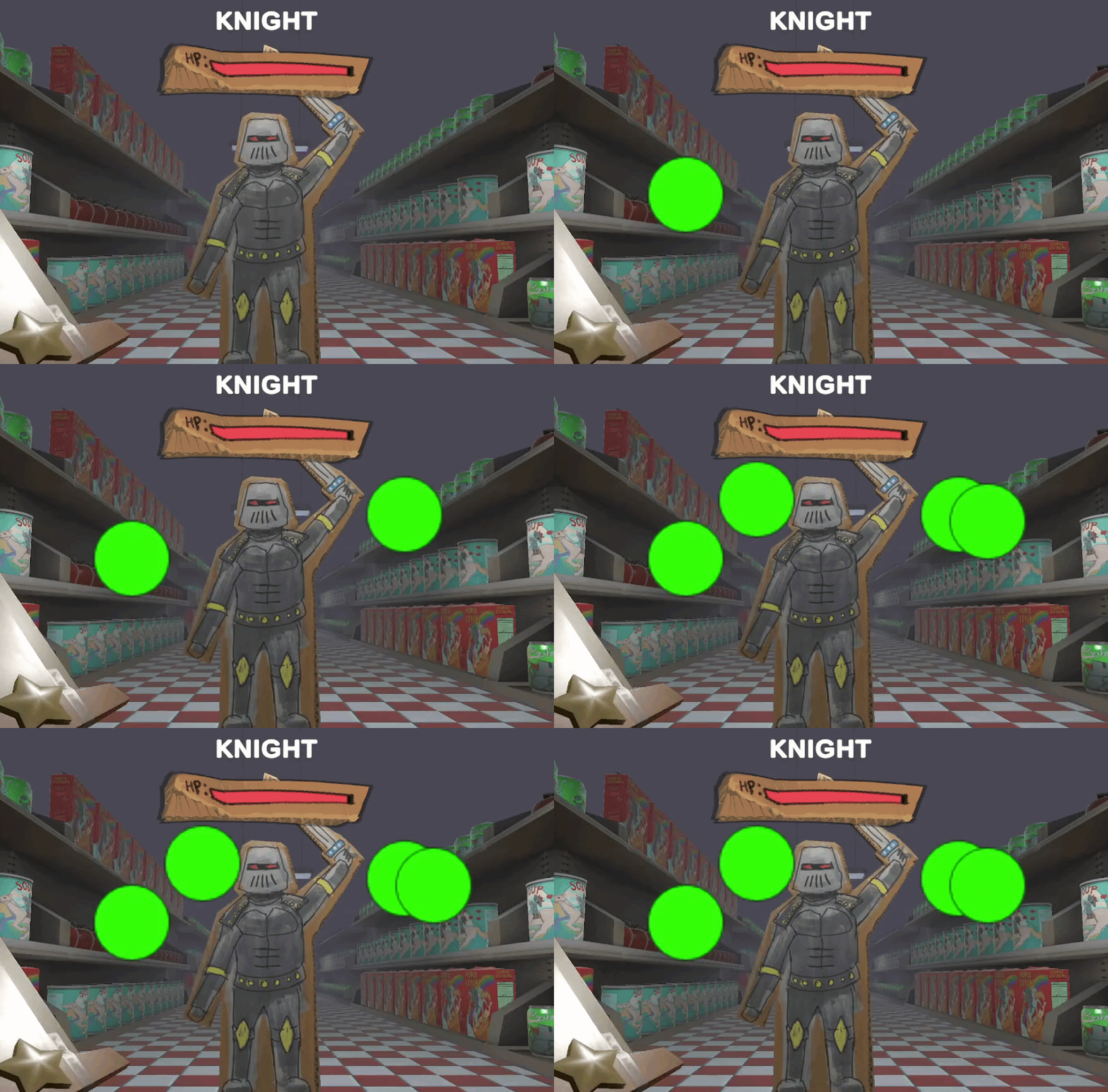
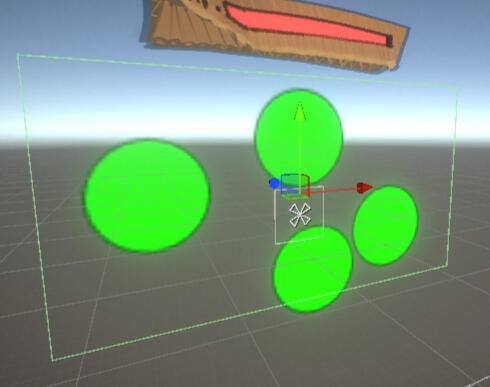
Bounds Setup
how it works
I used the Unity Canvas system used to spawn circles using
GenerateHitAreasmethod called inHitAreascript which callsrect.GetRandomPointOnImage();Then I Instantiate a Hit prefab, creating a green circle in that random location within an
Imagecomponent's bounds
Why
Attack generation is independent of enemy implementation, separating attacks from how enemies behave
Random-point generation within UI bounds creates high variability without manually creating attack patterns
how it works
I built a
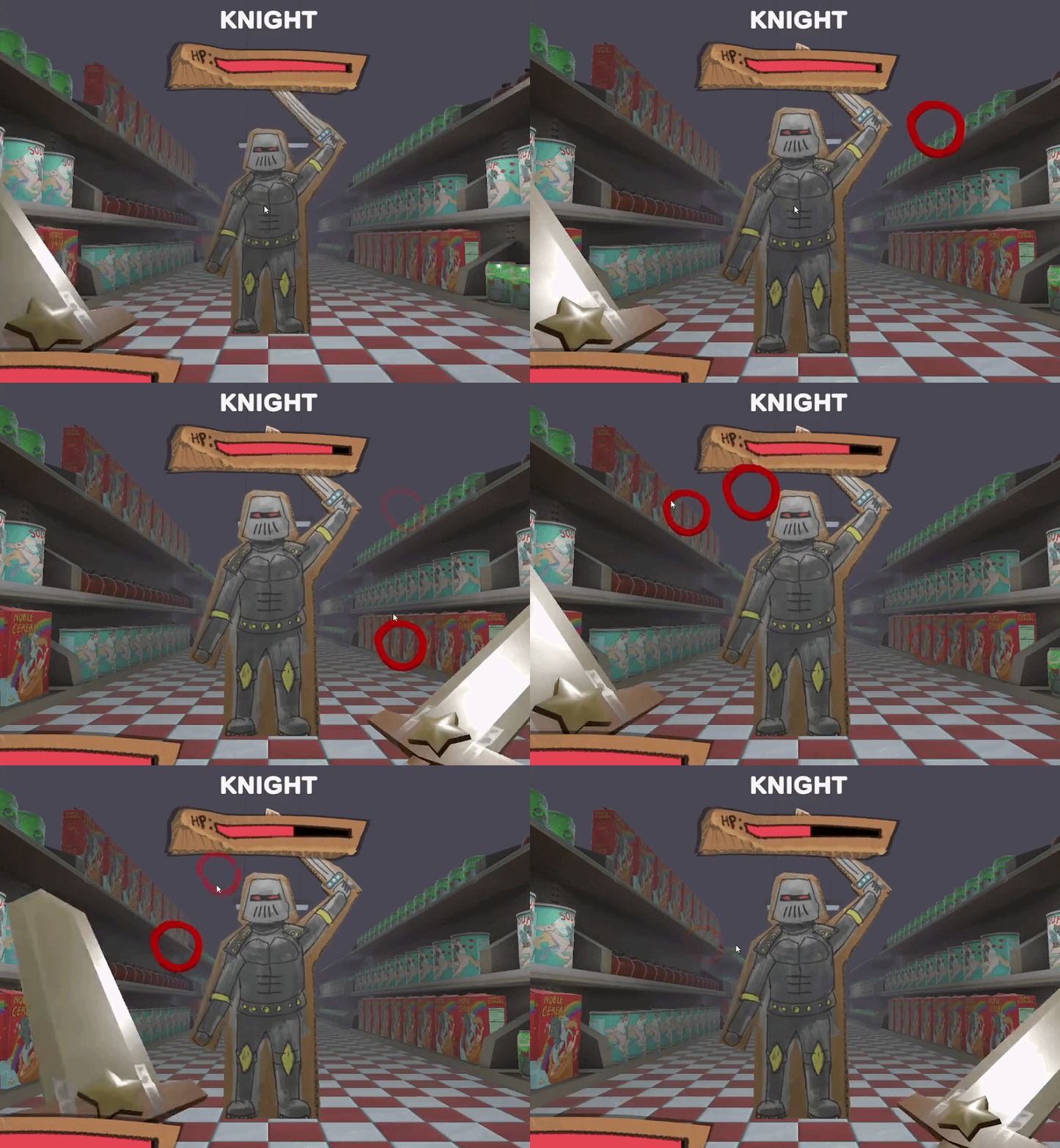
HitAvaliablescript with a publicHit()function called by myPlayerCombatscript.The combat script uses the Canvas'
GraphicRaycastercomponent to cast a ray usingPointerEventDataand the mouse'sInput.MousePositionthis is fed to aList<RaycastResult>, then parsed through usingLINQchecking if something hit, then a null check, then callingHit()on the reference.This then calles a
C_Hit()coroutine to fire fading out the alpha of the HitArea
why
SRP:
PlayerCombat- manages what was hitHitAvaliable- handles how the indicator reacts (visual + state change)Immediate visual feedback reinforces player action & player confidence
Re-usable ScaleChange object scaler
Type Based Polymorphic Enemy System
how it works
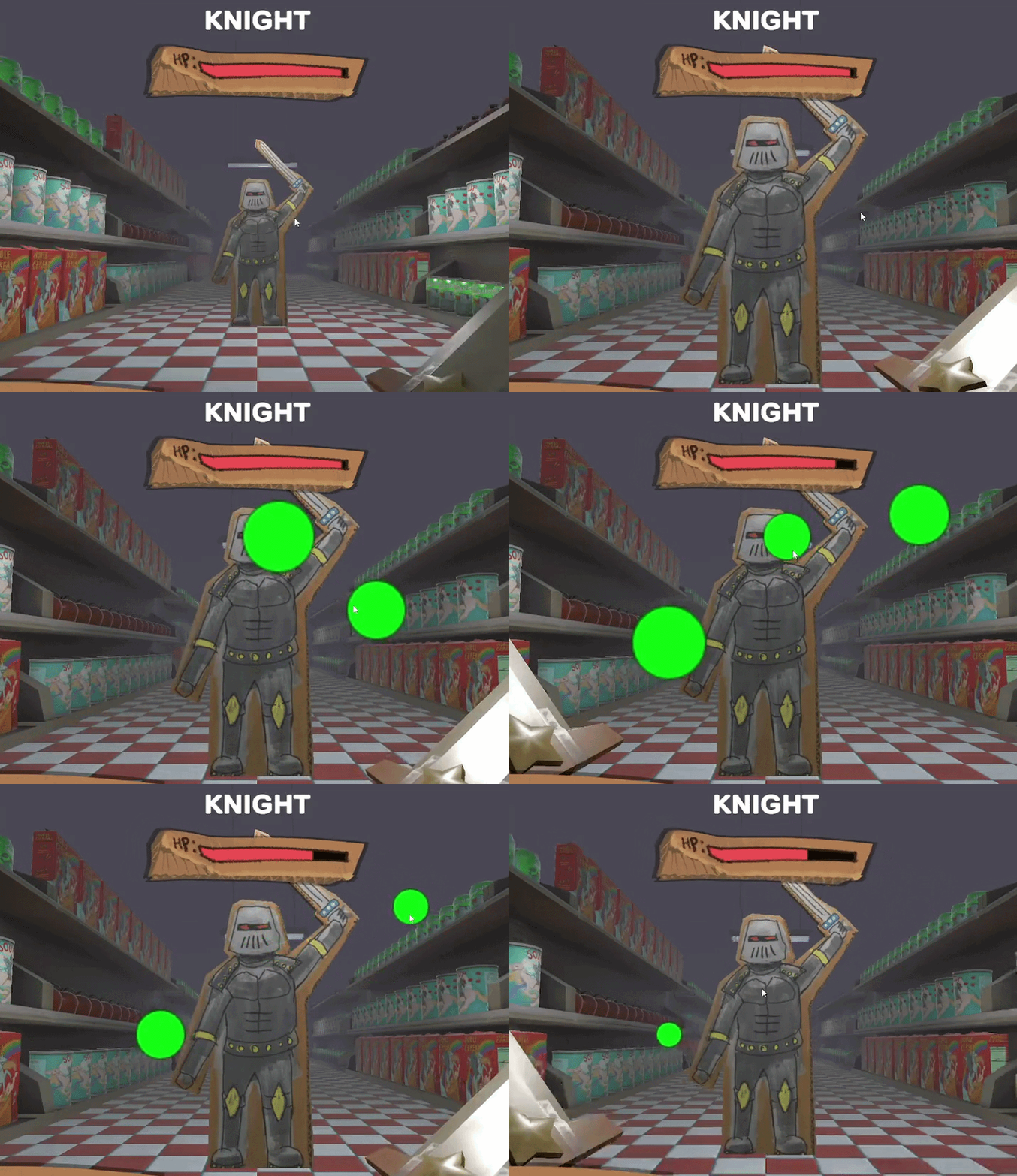
ScaleChangeis a separate component with the sole responsibility of shrinking an object after enabled using Unity'sOnEnableMonobehaviour override.It uses my custom
LerpScaleTransform extension method in my custom extension method library.
Why
Continuous visual and mechanical pressure is applied forcing players to stay engaged to do damage.
Duration-based scaling allows axis of difficulty tweaking
Encapsulating logic into a standalone component keeps logic independent and modular
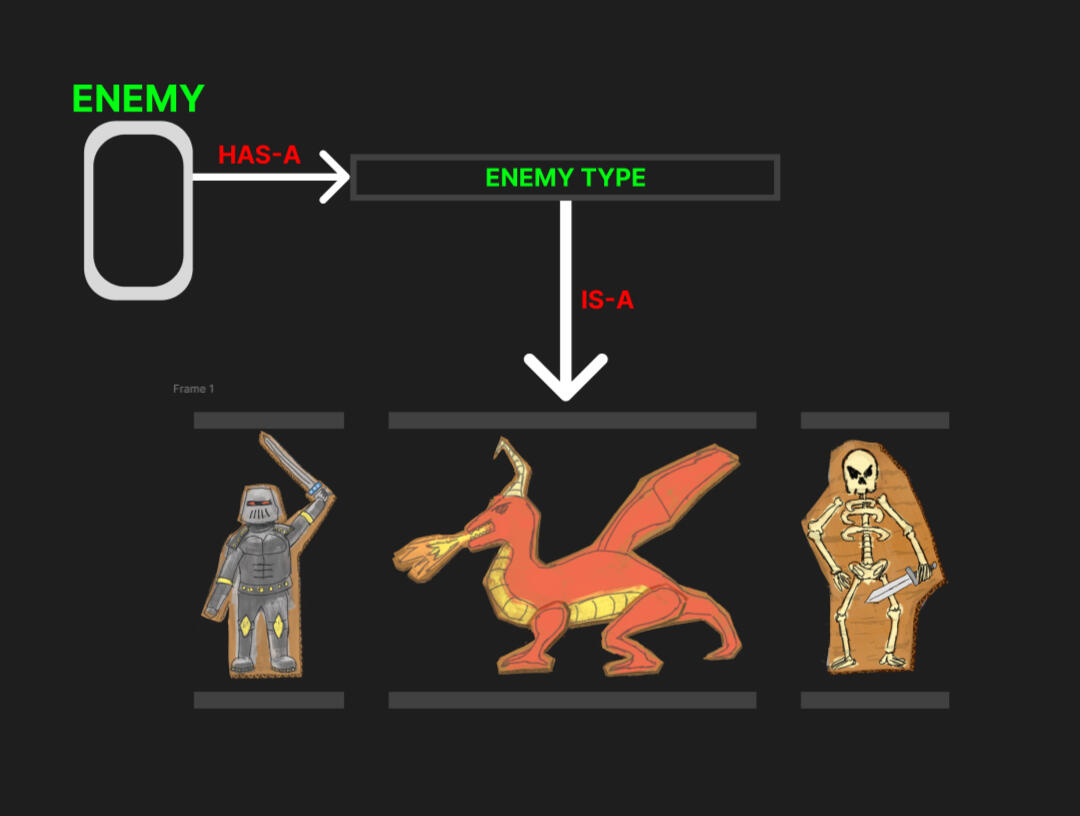
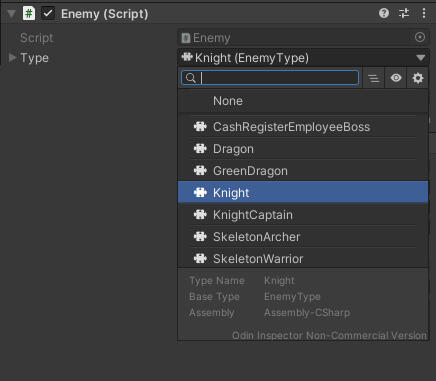
Enemy Script (ver. 1)
how it works
I kept all the orchestration on a
Enemyclass, and moved the differences between enemies to aEnemyTypeclass.The
Enemyclass composition 'has-a"EnemyType, Leaving orchestration to theEnemyclass serving as a central functionality hub for enemies.EnemyTypes implement aStartCombo, a foundation for later granular implementation differences for different enemy types.Enemycentral class can switchEnemyTypewithout requiring a change of script, cutting down onMonobehaviourclass definition explosion.
why
"has-a" relationship allows behaviours to be swapped without re-writing shared funcitonality
EnemyTypeencapsulates what an enemy does whileEnemycontrols how and when it happens avoiding tight couplingNew enemy variations only require new
EnemyTypedefinitions, keeping codebase maintainable as content scales.
Modular Attack System using Data-Driven Command Pattern
Modular Enemy Combo Framework
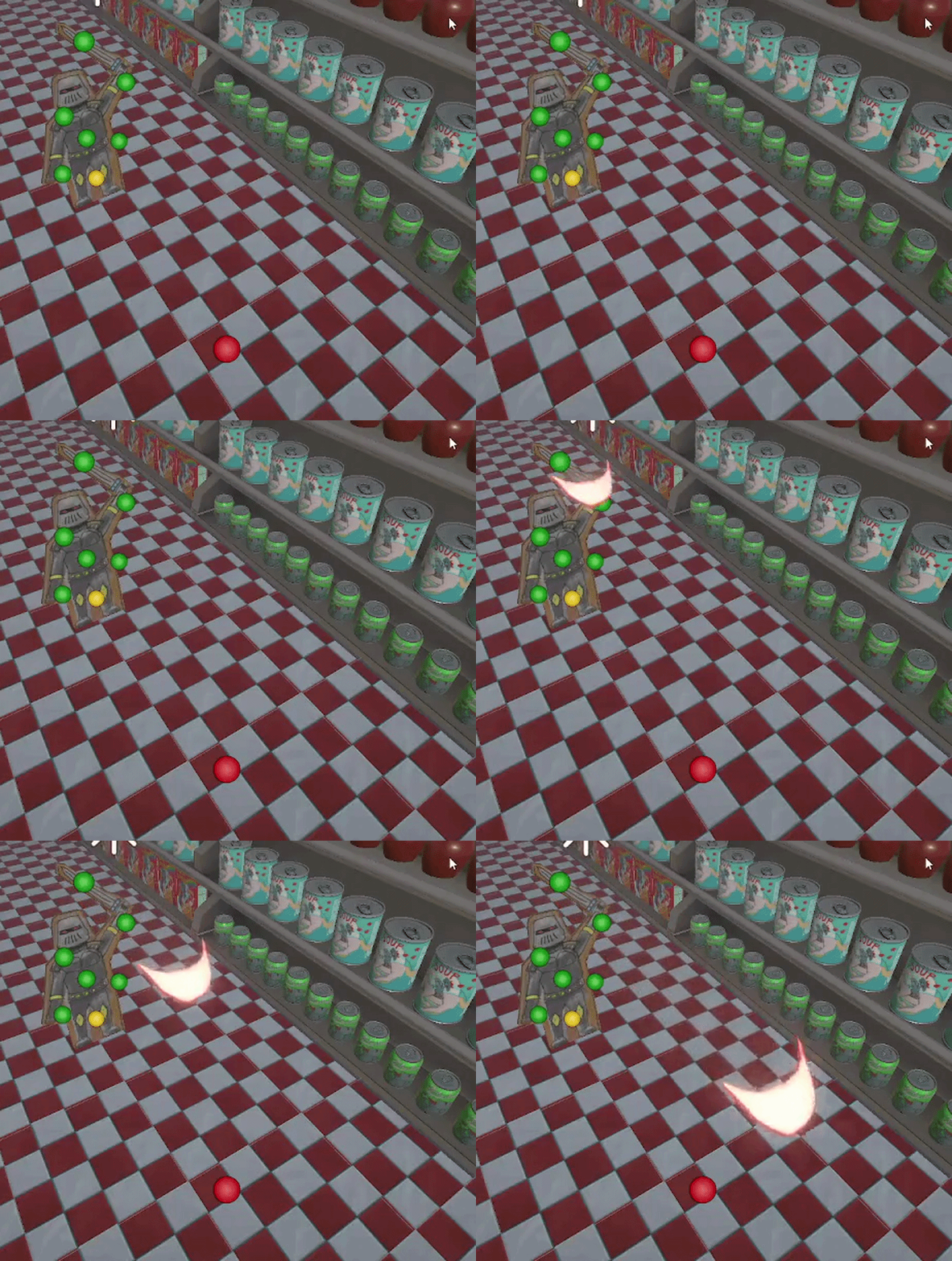
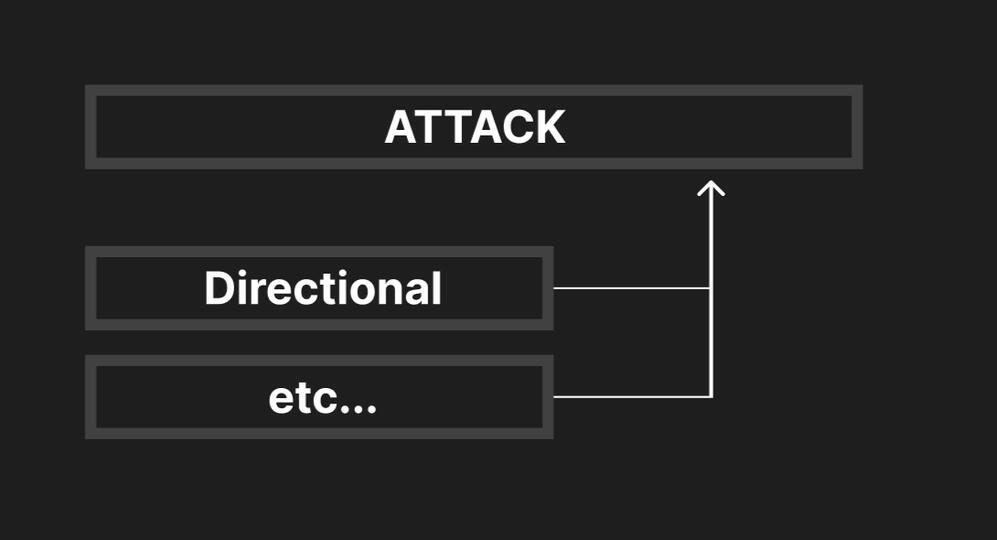
Attack Inheritence
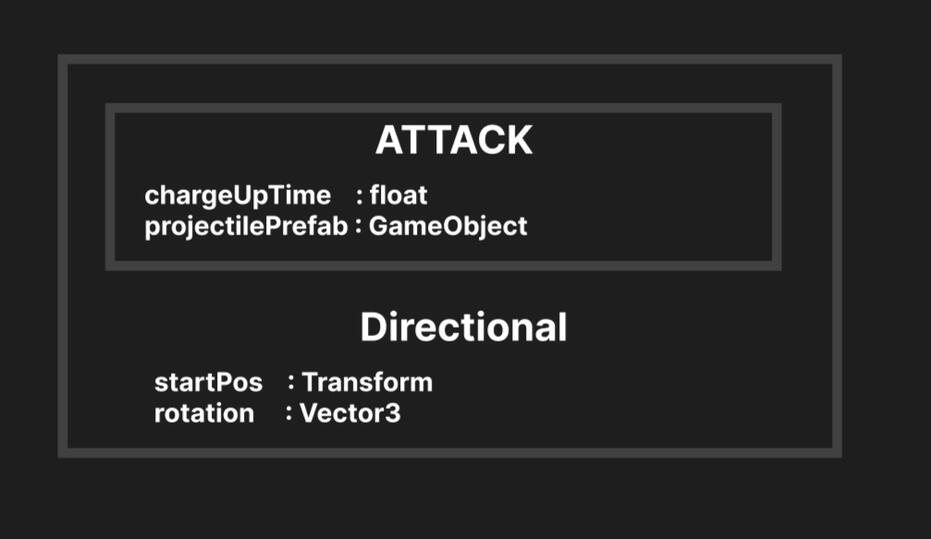
Directional Class Members
how it works
I designated an
abstractAttackclass and implemented it via a concreateDirectionalclass to serve as the basic attack implementation for allEnemyscripts.
All
Enemyscripts who communicate with theAttackscripts only talk to the abstractedAttackand not the concretes through anabstract Execute()Attackinheritors (this isDirectional) implement theExecute()contract from theAttackbase.Although
Directionalis a Command Pattern user, it contains its own data-driven composition
Why
Abstract
Attackcontract allows new attack types w/out modifying existing systems increasing scalabilityInspector configuration enables rapid tuning without code changes
Enemylogic depends only on abstraction, not concretes, enforcing separation of concerns.
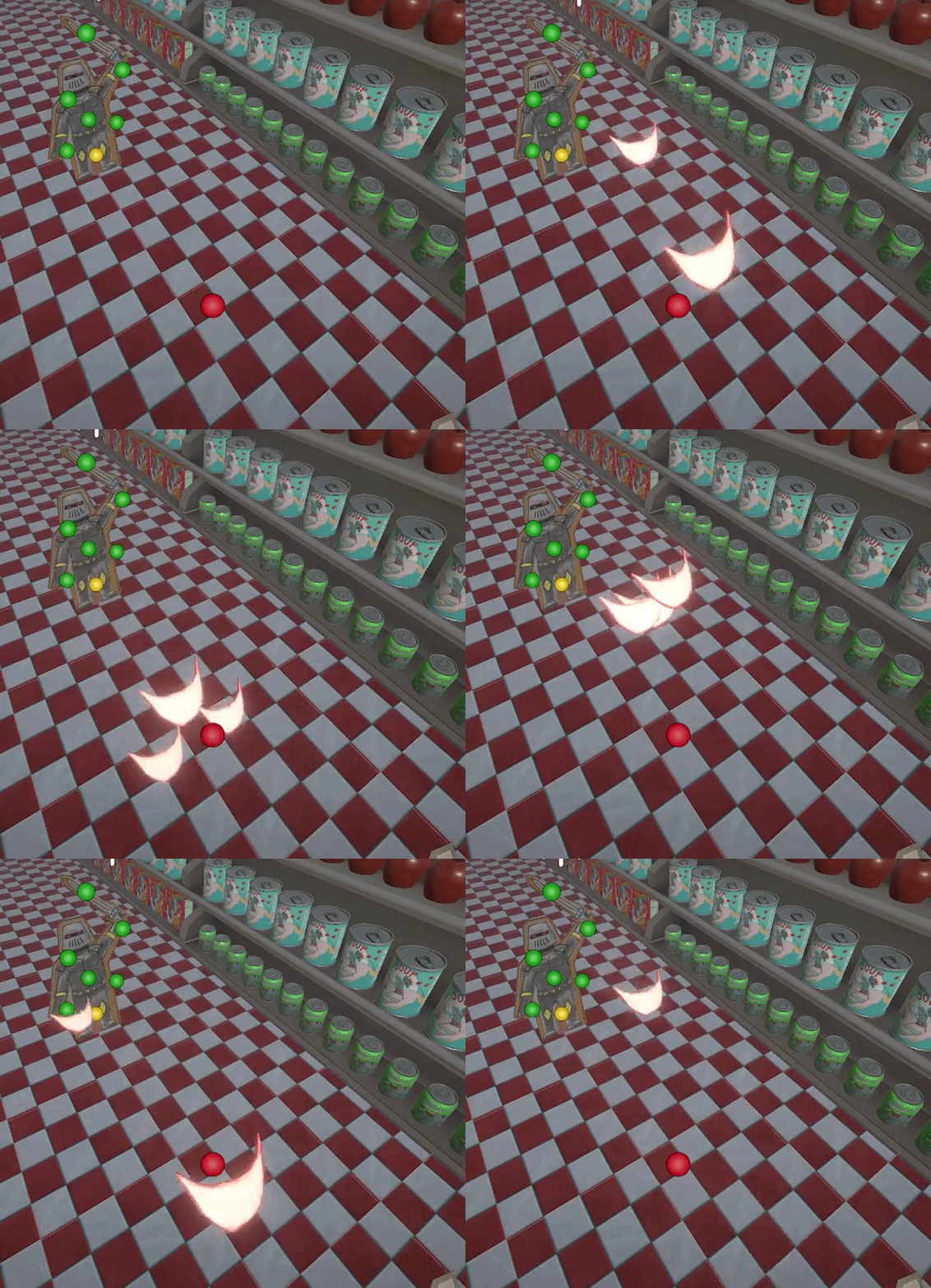
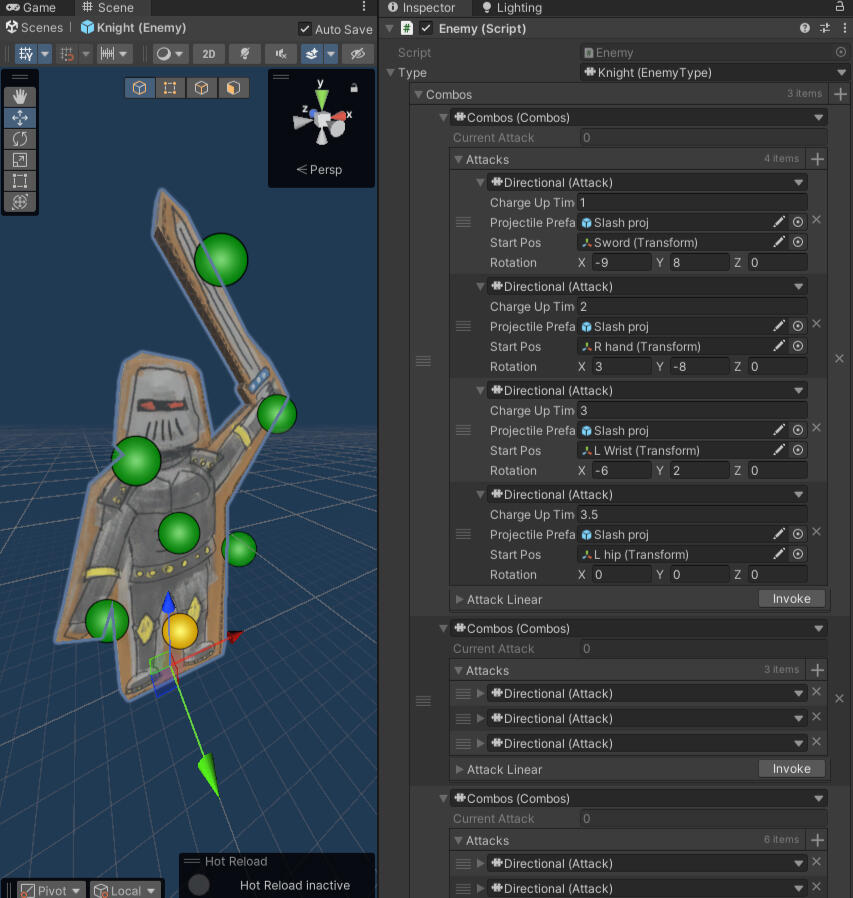
In the inspector I can easily tweak variables to rapidly create uniquely attacking enemies
how it works
I created a separate
Comboclass to serve as a data structure held by eachEnemyType.Comboholds aList<Attack>and traverses that list via implementation from theEnemyTypeEach
EnemyTypecan opt to traverse the list differently, as its anoverrideserving as a foundation for later extension.
Why
Combodefines an attack sequence as data, whileEnemyTypecontrols how that data is executedThe same
Combocan produce entirely different outcomes depending on the traversal applied by eachEnemyType, allowing for simple diversification of combo attacks with with the same data.New Enemies do not require new combo definitions, only using a traversal strategy, this speeds up iteration
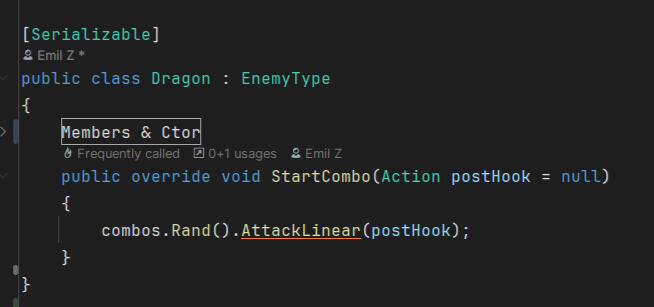
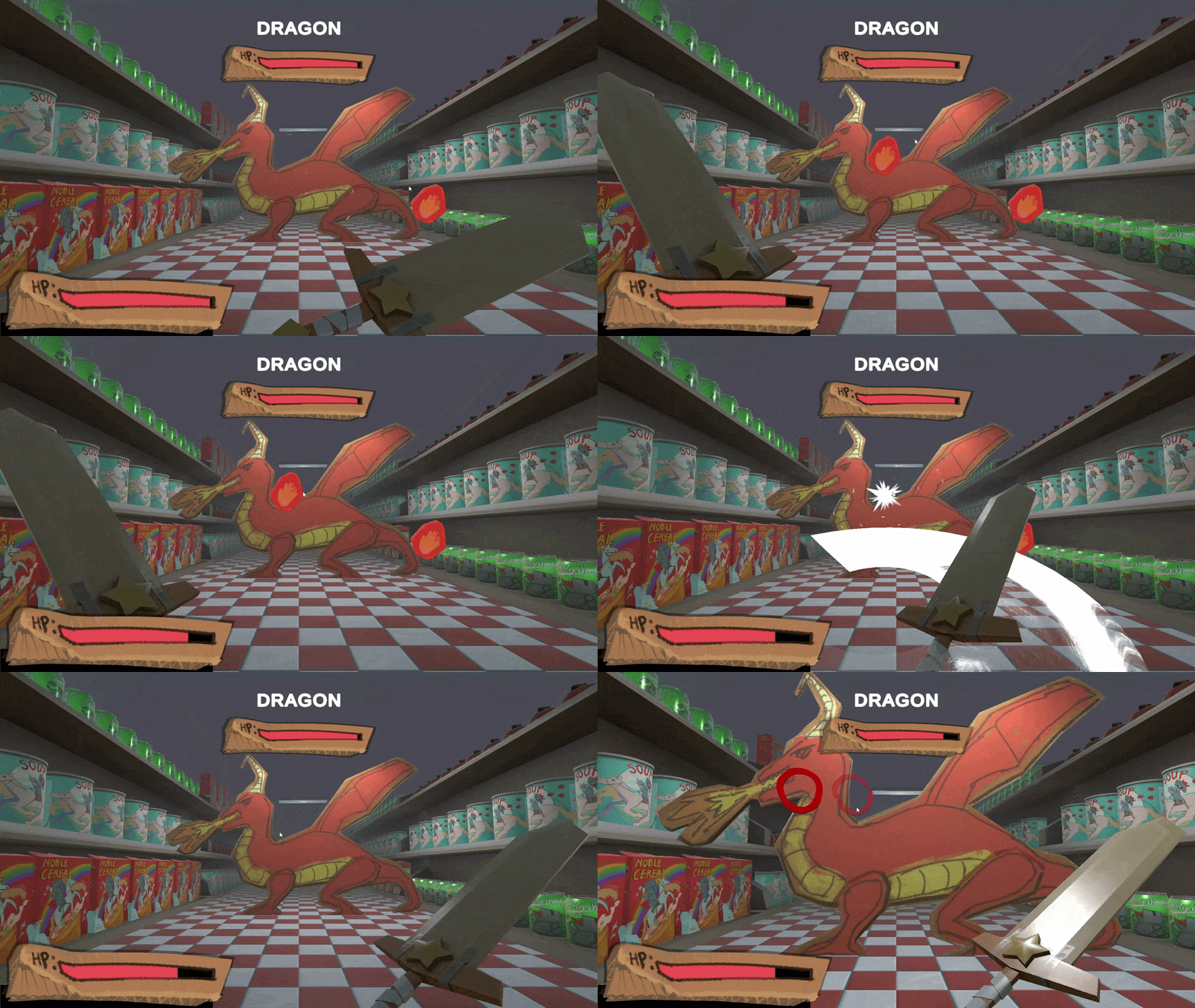
DragonEnemy Type
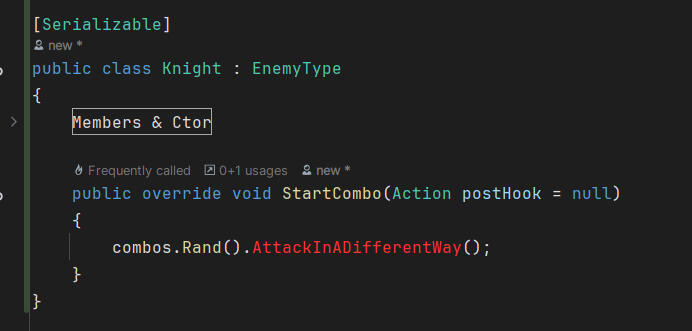
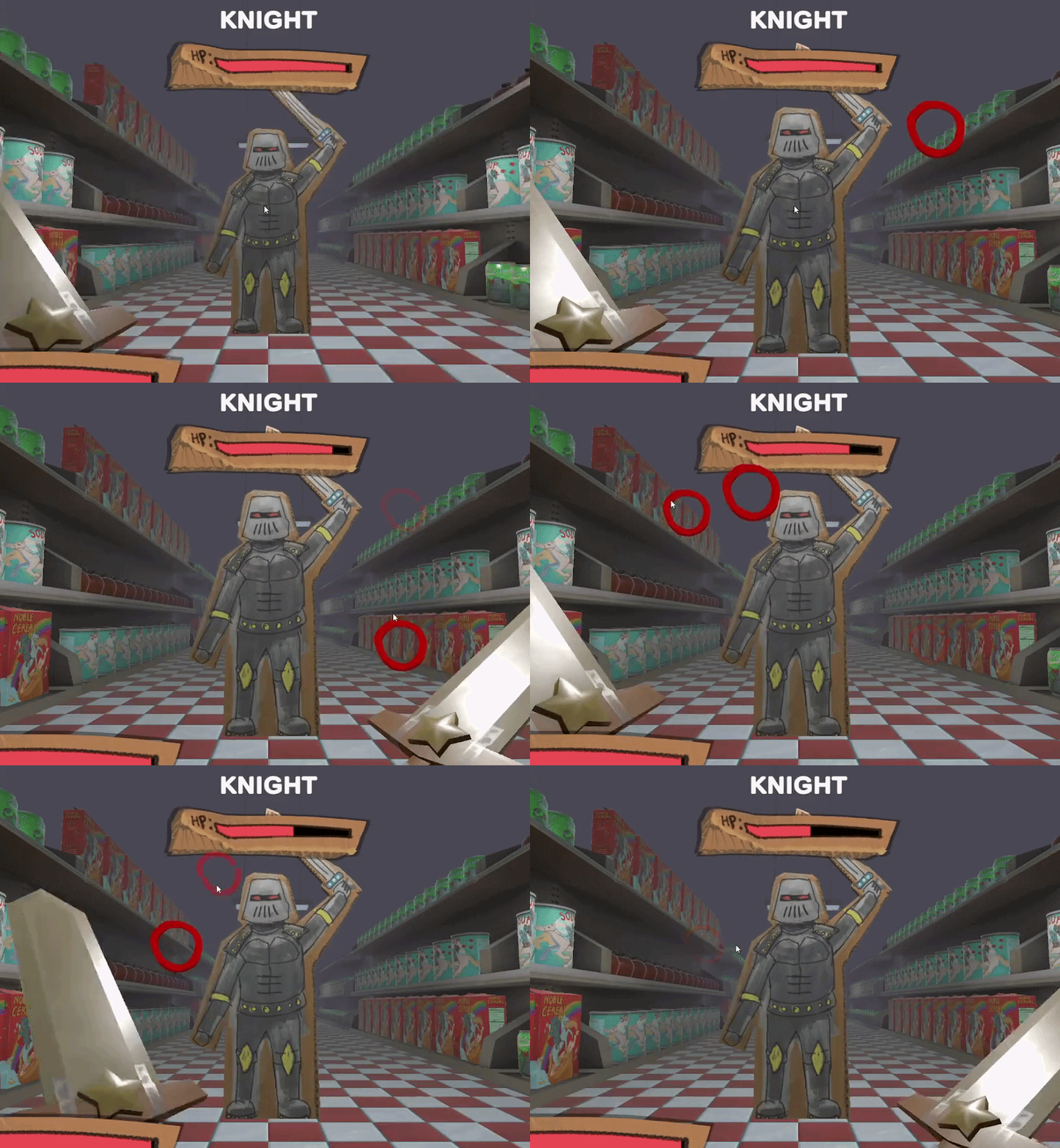
KnightExample Enemy Type
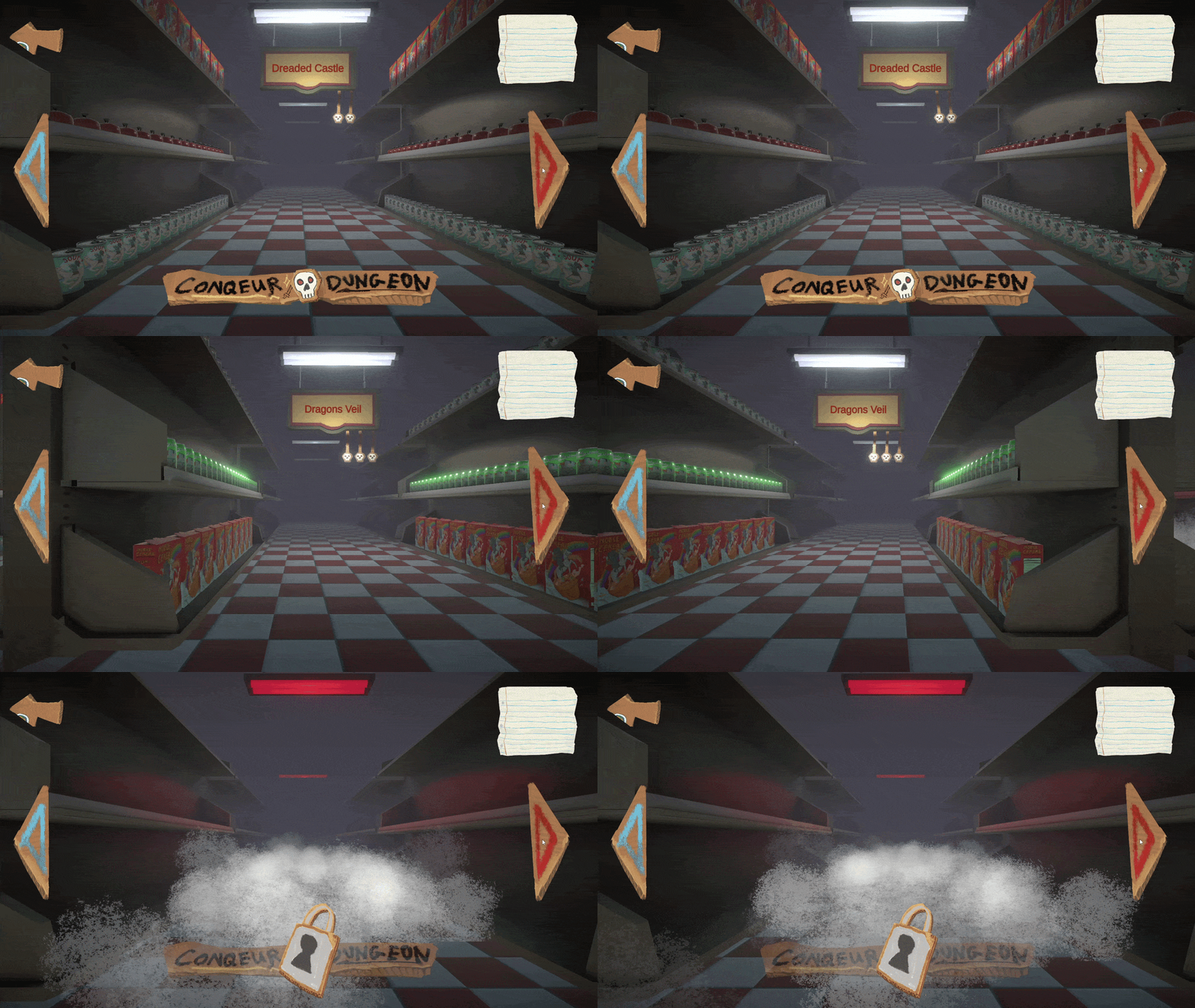
Level Select Functionality - Greybox & Skinning
Scriptable Object Dungeon Configuration
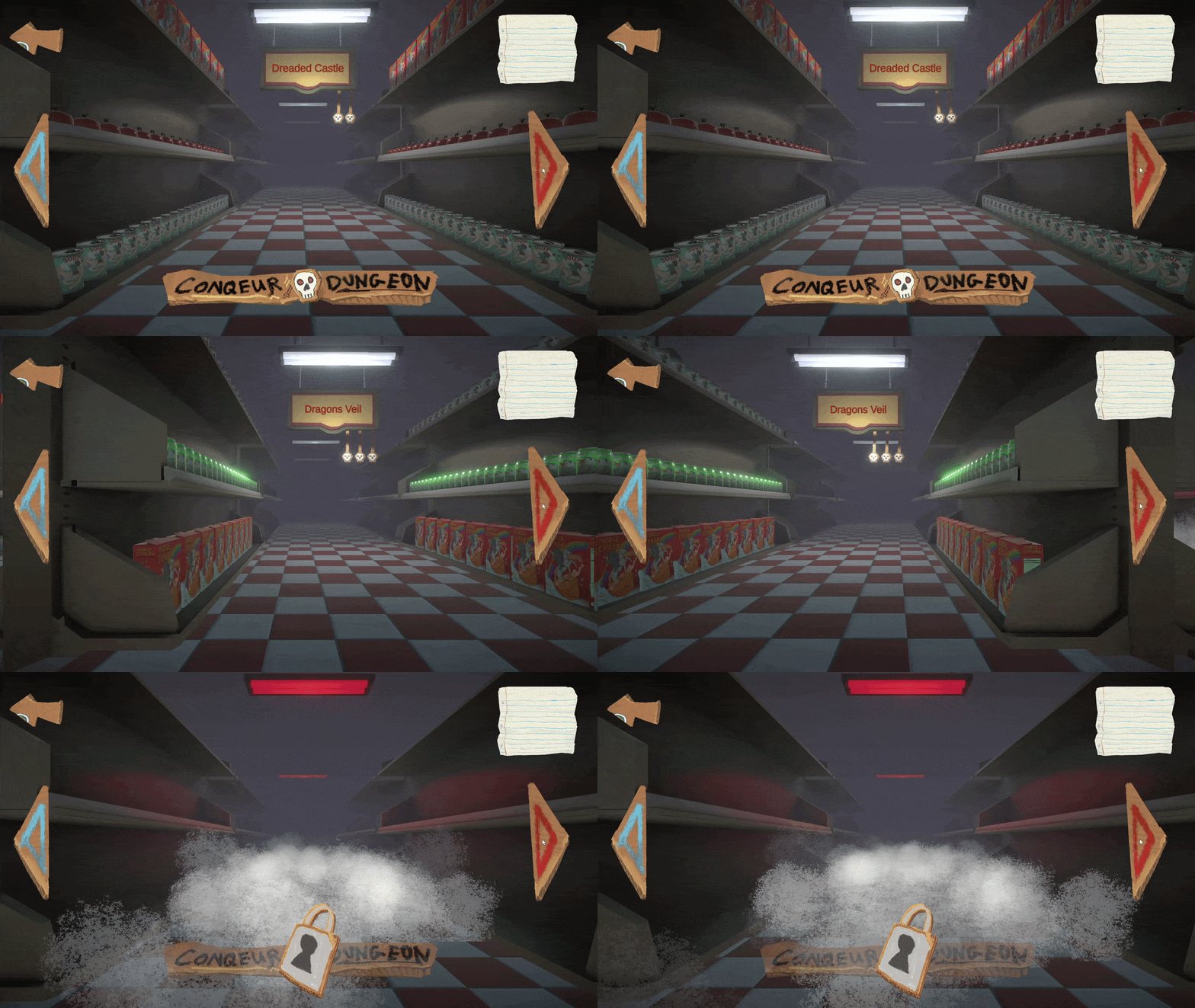
Post Skinning:
how it works
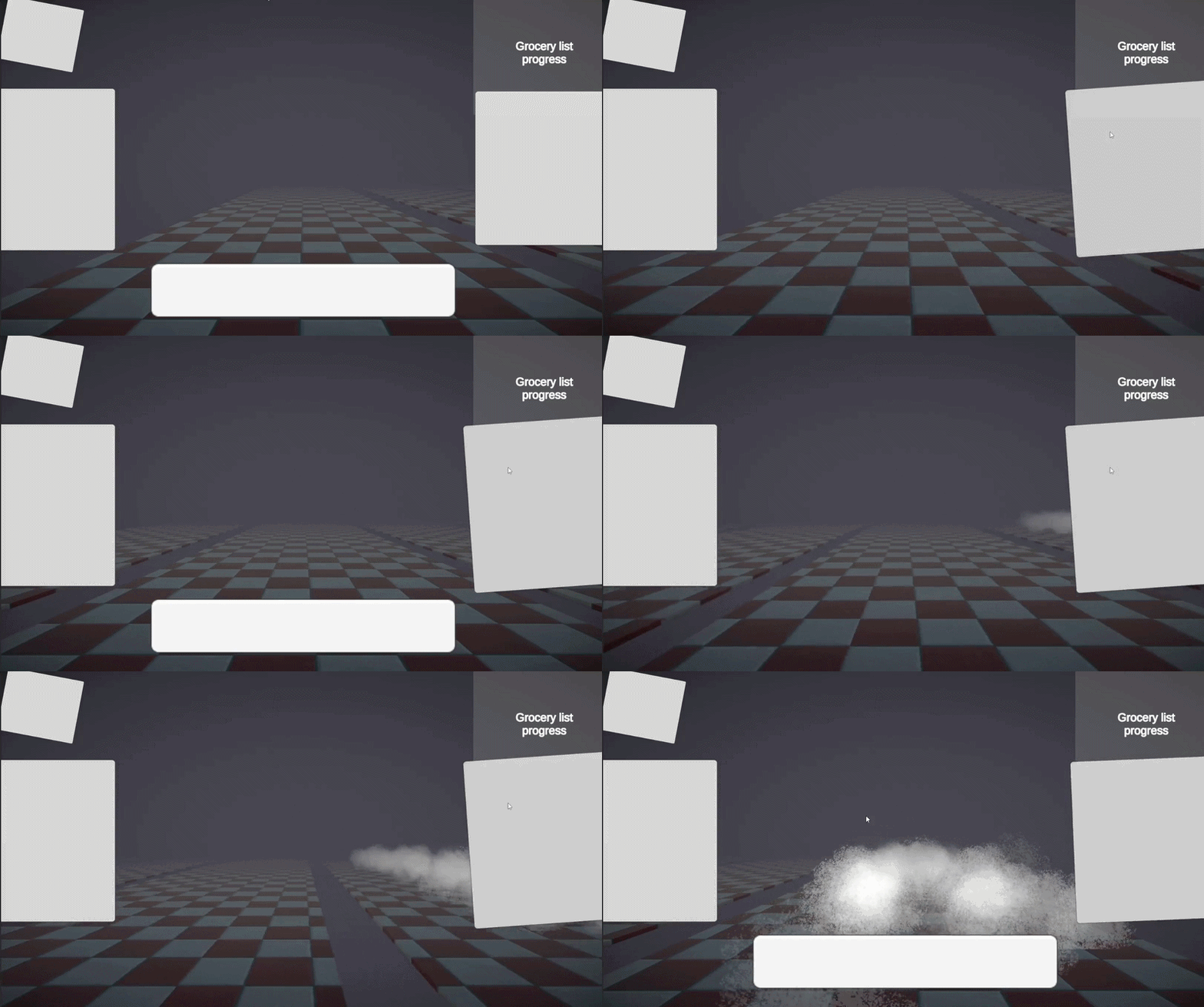
I greyboxed using
TextMeshProButtonelements in Unity'sCanvasin the hierarchy laying out where I wanted the buttons to be.I used my own custom
UIJitterscript to make the buttons animate when hovered over using theIPointerEnterHandlerandIPointerExitHandlerinterfacesI hooked the UI Button's
UnityEventinto myLevelSelectscript to either increase or decrease the currently select level index, seen as the exposed variableCurrentPosIndex, and modified the transition with aTransitionTimeWhen then transition occurs, the player is lerped to the next index of the
Positionsarray, while simulatenious callingAnimate.Play()on my cam with the animationgobackcreating a smooth and interesting animation.
Why
UX Greyboxing to help design the User Journey, also helps make skinning go smoothly
Fast iteration using a simple design
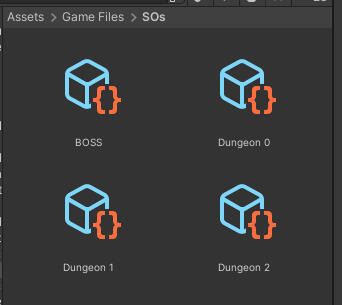
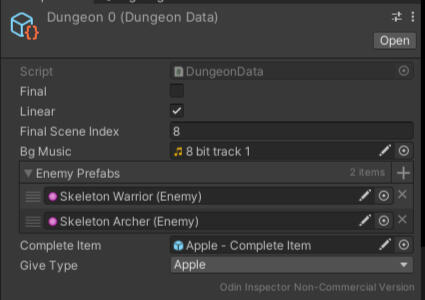
Dungeon Example Configuration
how it works
I created a
DungeonDatascript and inherited fromScriptableObjectwhich holds all dungeon configuration data, like how many enemies and what enemies can appear and in what order.I used the
CreateAssetMenueditor attribute with a corrospondingfilenameandmenuNamevariables to create the assets in the Project directory.Each DungeonSO is utilized by a
DungeonDBinstance script in every level of the game.The
DungeonDBinstance script is used to hook up all non-primary functionalites into one nice location, including the place where the Dungeon Data is stored and referenced fromThat is depended on by other game objects for their functonality.
Why
Levels are adjustable at an asset level. This allowed me to alter levels without having to go into each individual scene, cutting down on iteration time.
This solution uses Data-Driven design and runtime immutability to decrease complexity in runtime scripts and separate concerns.
JSON Saved Level Progression w/ Locked Final Level
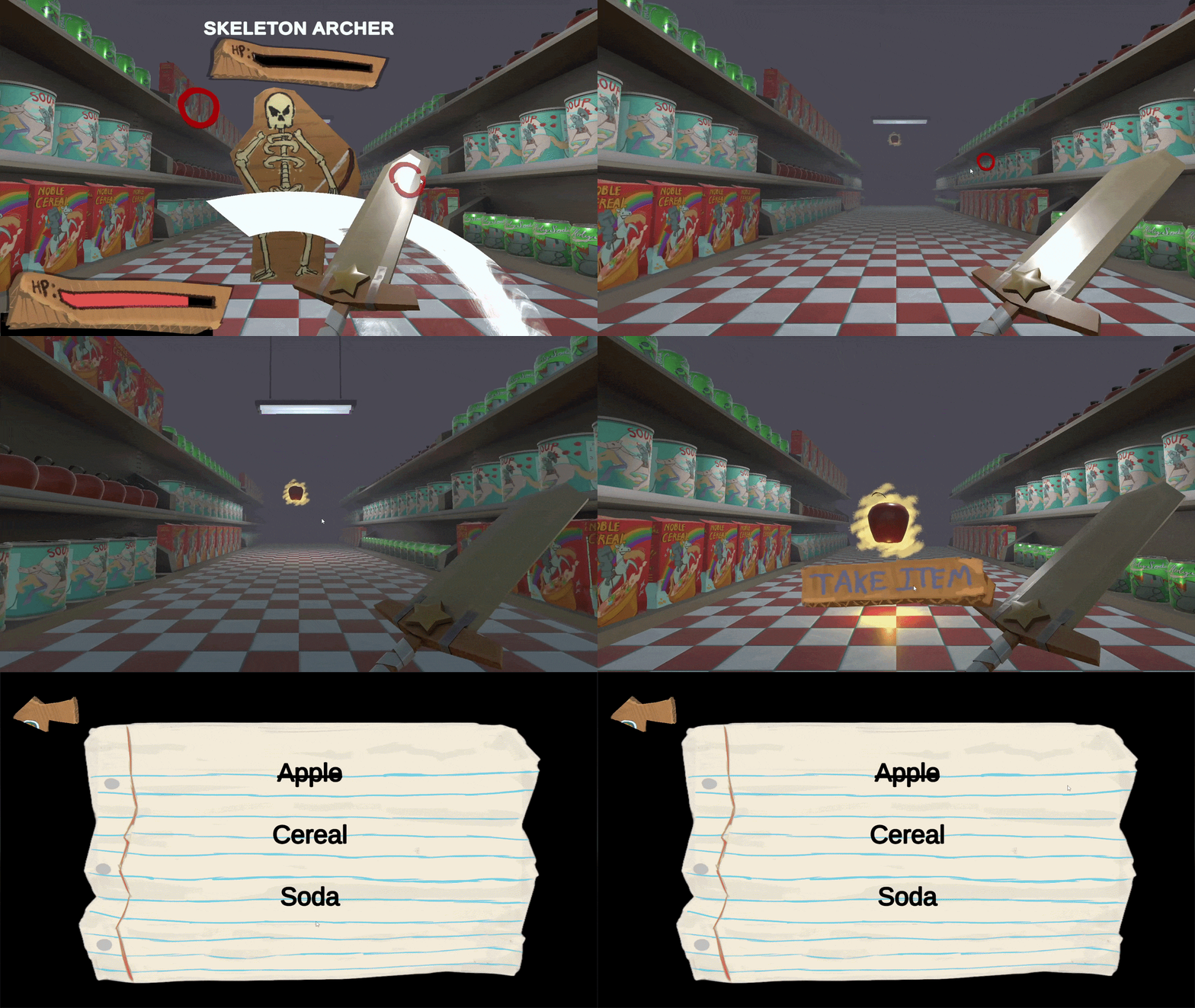
Procedurally Looping Encounter System - Performance Optimized
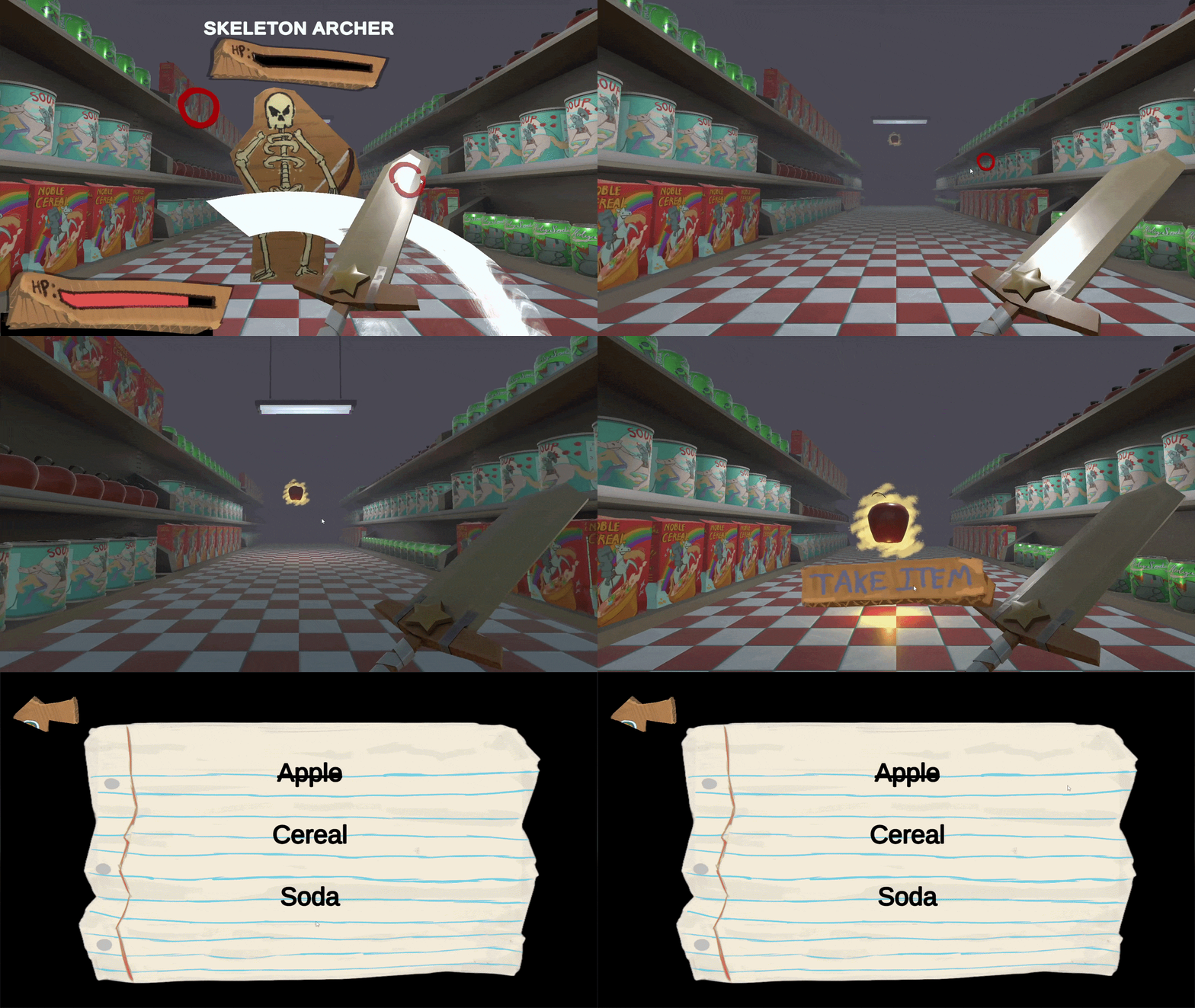
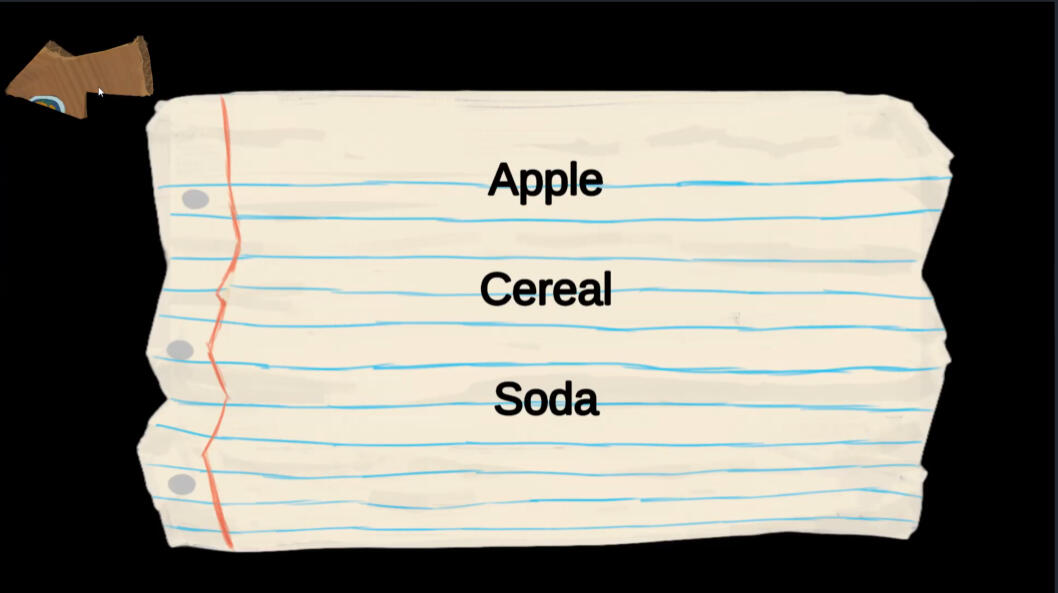
Grocery List Scene (No Levels Complete)
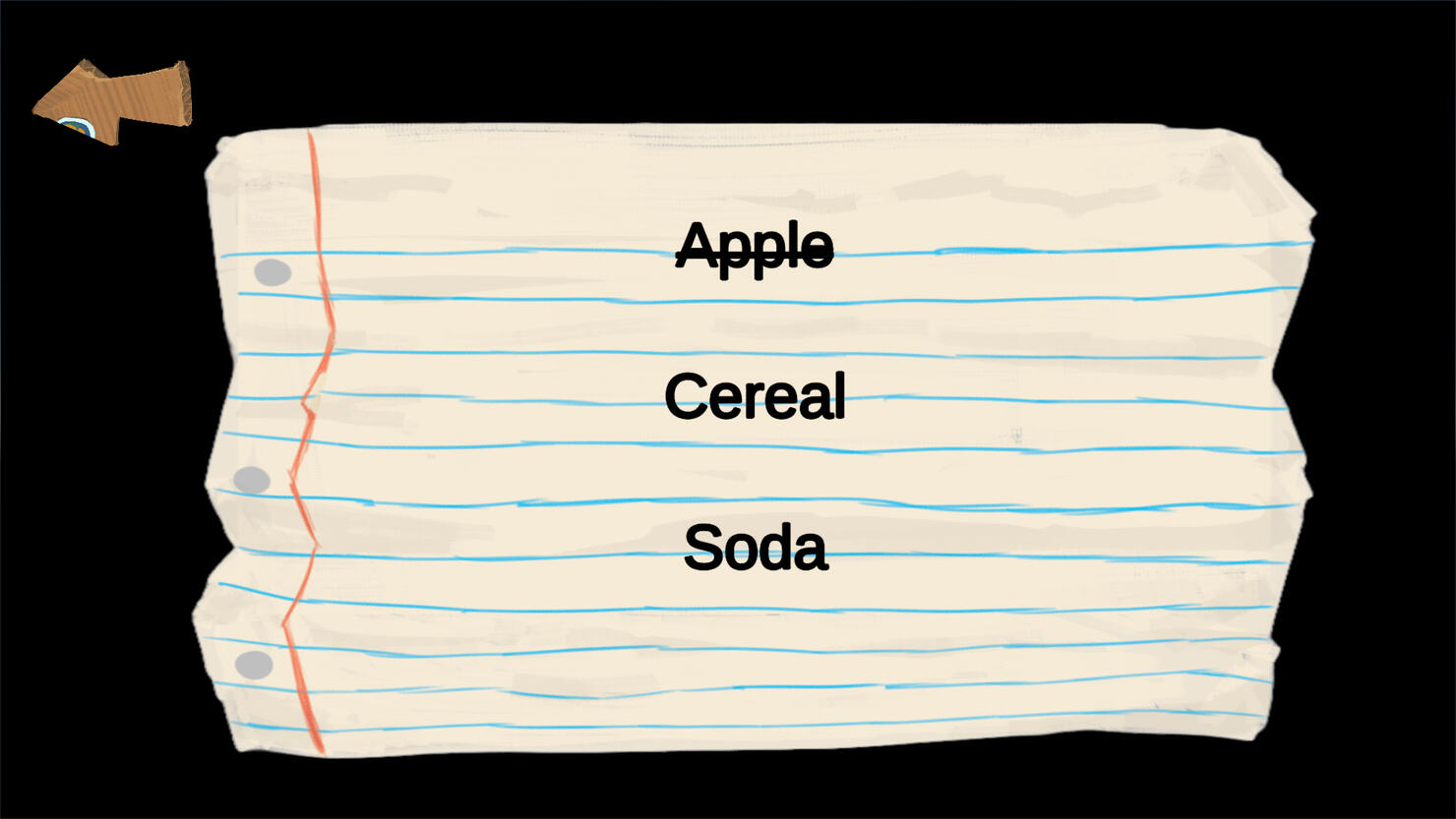
Grocery List Scene (1 Level Complete)
how it works
I used JSON in a custom
DataSaverscript to write to Unity'sApplicationPersistentDataPathfile with the player's progress information.The player's progress information is a separate data-structure used in this data write
To utilize the item saving, I turned it into the level progression mechanic. Meaning each item serves as the 'level complete' on the grocery list.
To program this, I created a separate storage class singleton class called
GroceryItemStoragewhich uses the data from theDataSaver. The storage is referenced from theLevelSelectscript in the Level Select scene. To check if the player has all items, if the player does it unlocks the final level
Why
I used a widely understood concept across all users to help the player understand their progression.
The player collects "Grocery Items" from a "Grocery List." They receive an item at the end of each level, checking it off their list
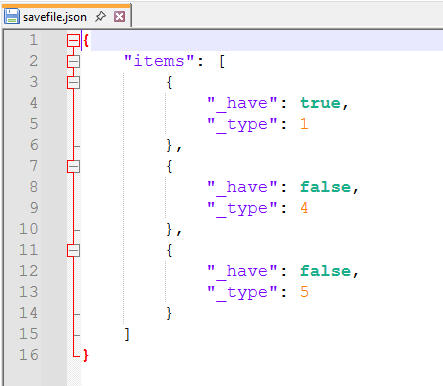
Save File
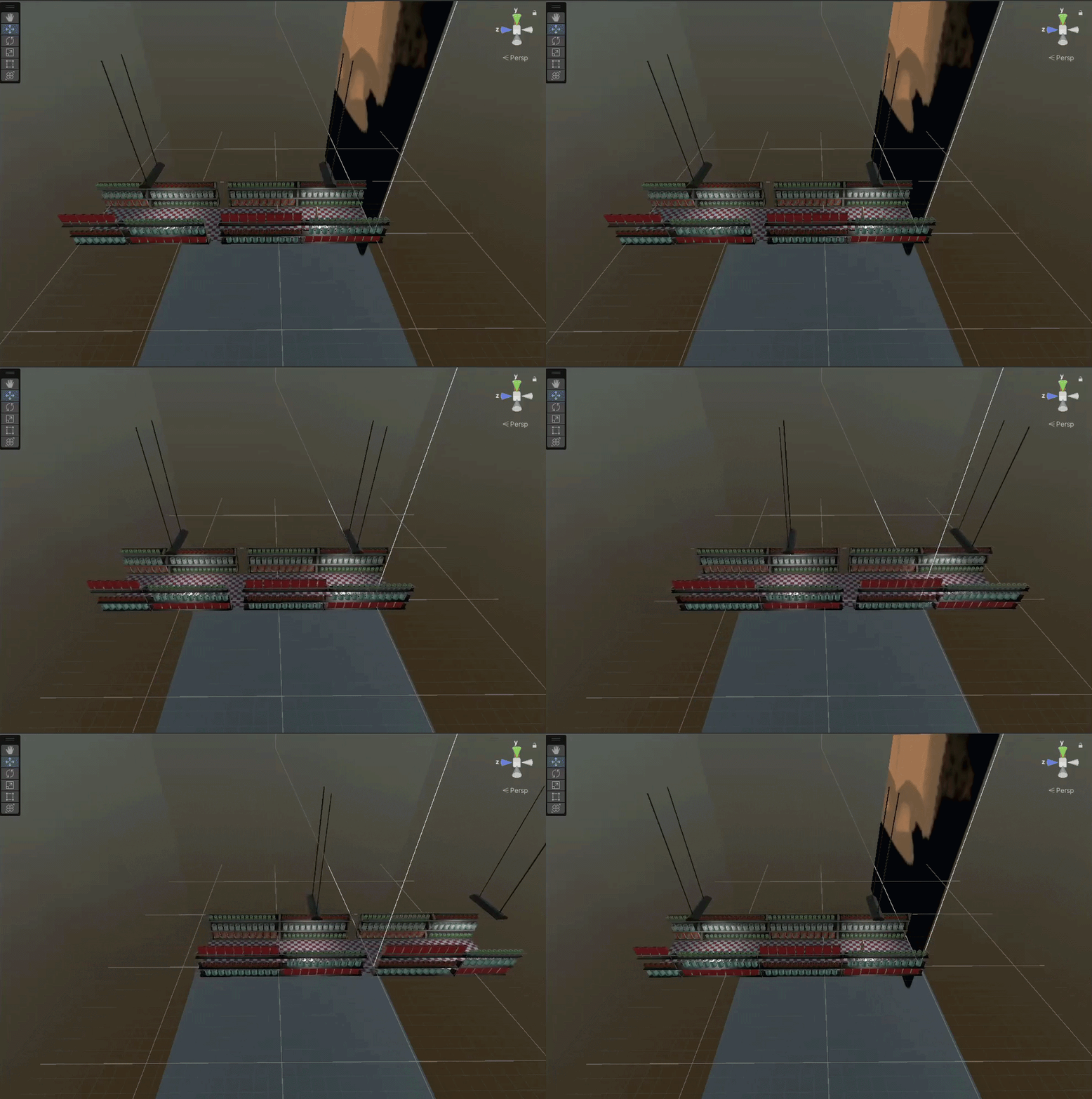
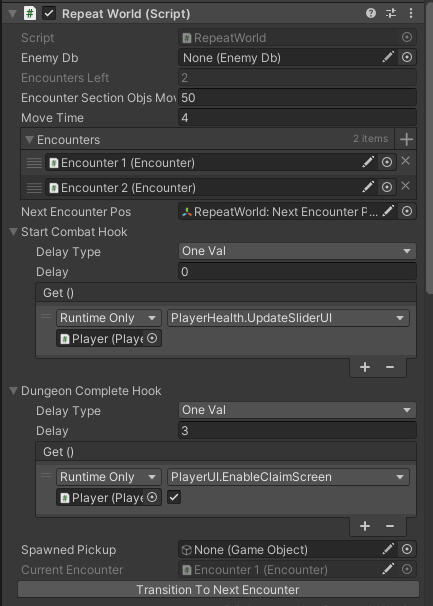
RepeatWorld
how it works
I created a
RepeatWorldscript that detects when an enemy dies and moves the entire level forward while the player stands still.The world is split up into composable
Encountersthat contain enviormental assets and serve as the battleground between each enemy and the player.The
RepeatWorldscript listens for an event fired by an enemy death and linearly interpolates all encounters forward, after moving, the most recent encounter which is now behind the player is re-positioned at the back of the encounters list.
Why
Encounters are discrete and composable modules that can be altered without changing the core system.
The world is procedurally repeated over and over, cutting down on draw calls if many encounters were loaded at once.
RepeatWorldlistens for an enemy death event, avoiding polling which increases perfromance
Led Project Start & Initial Team Directing
Scheduled Team Meetings & Managed Team Sprints

Key production choices
I proactively stepped into a leadership role from the start.
I gathered everyone around a whiteboard asked every team member to brainstorm potential ideas.
I gave everyone a fair and equal chance to share their ideas on what we should work on.
I visually compiled all the ideas and organized them into genres for clarity.
I asked everyone to rank-rate all the ideas giving more points to ideas they liked more, and we chose the idea voted highest.
I then solicited more feedback and as a team decided to combine the top 3 Ideas together.
Assigned Roles based on specialty and confidence, asking each member what they were good at & their mindset. I didn't want to asign somebody to something they didnt want to do


Key production choices
Setup Team's Sprints via Miro
Scheduled Meetings & Managed Timeline, informed team of breaks and progress checks after a certain period of time
Led progress meetings being empathetic to conditions like burnout, breaks, or difficulties
Directed Art Assets & Created Art Approval System for Team Members
Managed Asset Handoffs between Team Members
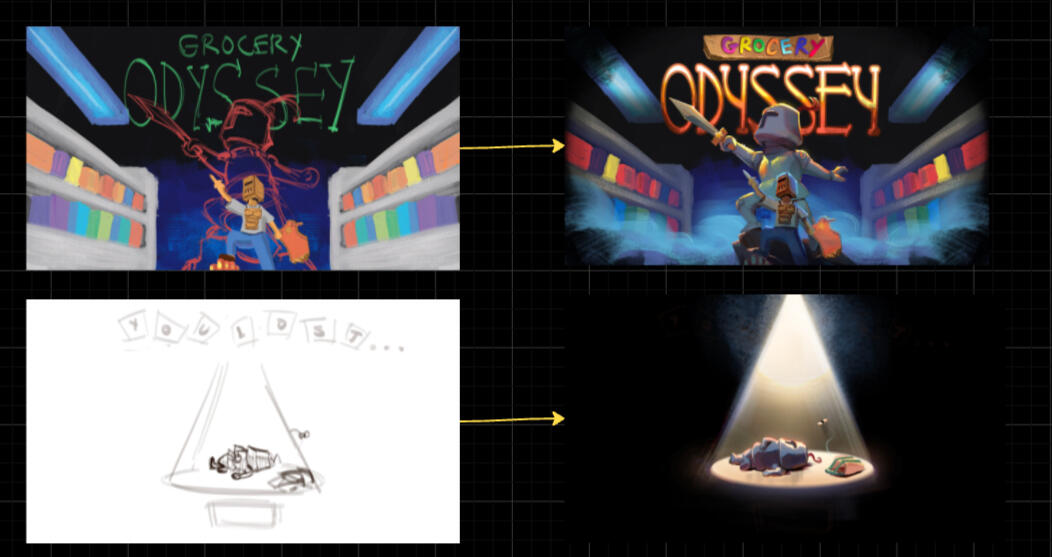
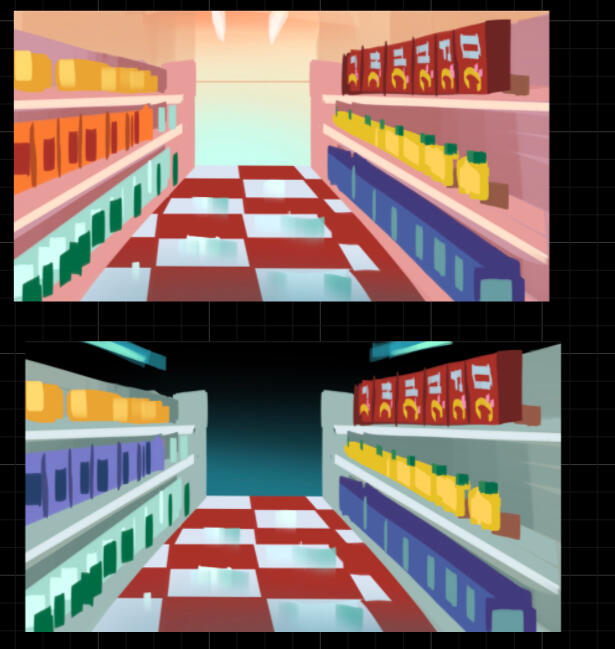
Encounter Concept (Light vs Dark Ideation)
Key production choices
Setup Asset Production Pipeline w/ Approval System
Our Production Pipeline:
Asset is assigned based on what we needed
Asset goes into ideation phase
After 1 to 2 ideations were complete, they would be handed off to me for approval of direction
If the art was going in the right direction I approved the layout & design and handed it back for it to be completed, I would also ask for how long they would think it would take to maintain a mental timeline for the entire project.
If it did not look like it matched the direction, I would ask for adjustments or alterations until it looked good.
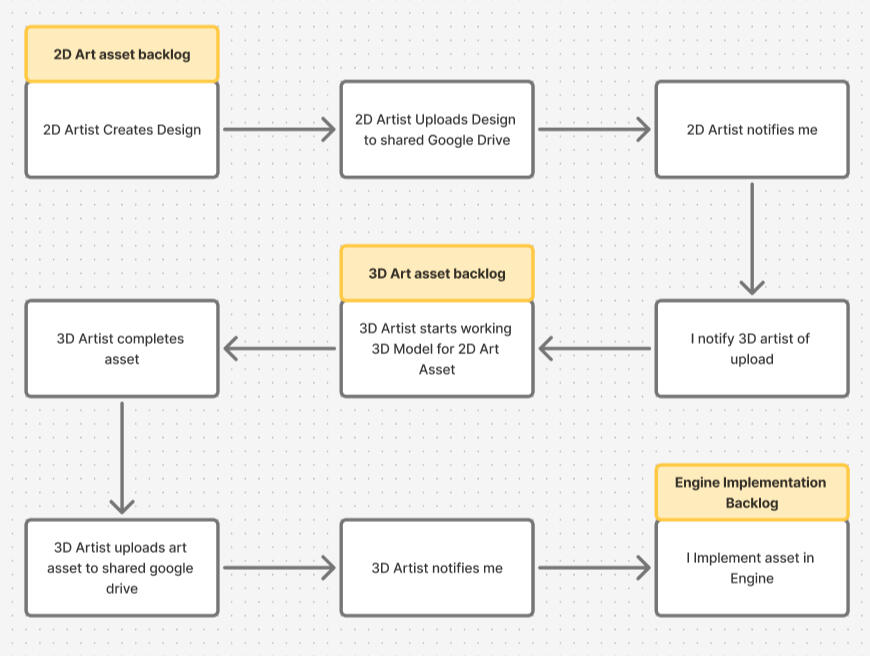
Team Pipeline
Key production choices
Managed handoff between team members in order to coordinate asset production because some assets required multiple-role work.
Team members would eventually have a backlog of assets handing off between each other. Thus, I would take a more hands-off approach as our team worked better and better over the course of the jam